
Mac
macOS 13 or later
Turn your Mac, Windows, or Linux computer into a silent disco. Play your music and invite friends to listen on their own headphones.
macOS 13 or later
Intel / AMD 64-bit · PipeWire
Portable ZIP
Windows 10 or later · 64-bit
64-bit setup · Unsigned installer
All downloads are free. On Mac, check Apple menu → About This Mac for your chip or processor.
Compare your file’s SHA-256 hash with the matching filename in the current checksum list. The hashes should match exactly.
Replace filename with the name of the file you downloaded:
shasum -a 256 filenamesha256sum filenameGet-FileHash filename -Algorithm SHA256Extract the ZIP, open its folder, and run ./DiscoFish. Install PipeWire’s pw-record and pw-dump tools first (the pipewire-bin package on Ubuntu/Debian). PulseAudio-only systems and ARM computers are not supported by this download.
If Electron reports a sandbox configuration error, run these commands inside the extracted folder, then launch again:
sudo chown root:root chrome-sandbox
sudo chmod 4755 chrome-sandbox
./DiscoFish
Choose an audio source and scan the QR code on your phone. Both devices must share a network; allow incoming TCP port 3456 if your firewall blocks the connection.
An application source captures one active stream. For multiple browser tabs, select their individual streams or use System Audio.
Run the installer, open Discofish, then choose System Audio. Windows may ask you to allow Discofish through the firewall so phones on your network can connect.
This installer is unsigned, so Windows SmartScreen may show a warning.
System Audio broadcasts everything playing through your current Windows output device. Close or mute notification sounds and other apps you do not want listeners to hear.
Start hosting on your computer, then share a QR code from Discofish to invite your listeners.
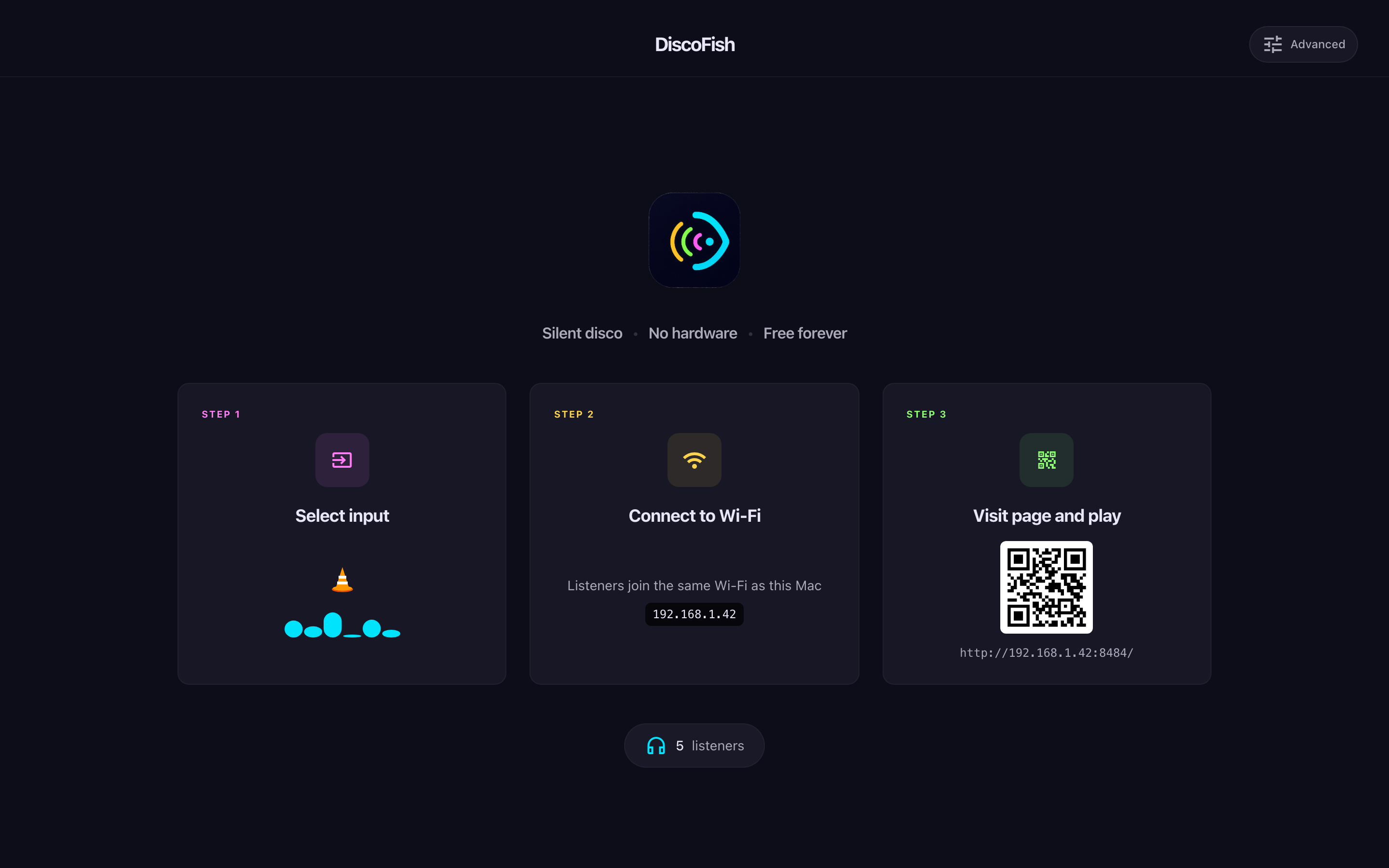
Watch the 40-second demoThree steps from download to dance floor. No accounts, no audio gear to rent — guests bring their own headphones.
Install Discofish on Mac or Windows, or extract the portable ZIP on Linux.
Choose an app, window, or audio input to share. Grant the requested audio permissions, start your music, and keep Discofish running on your computer.
Share the Browser QR with guests on your local network. For listeners elsewhere, share the App pairing QR to scan inside Discofish on their phone. Choose a channel, put headphones on, and press play.
A real recording of VLC streaming through Discofish to a browser listener. Follow along, then try it with a friend.
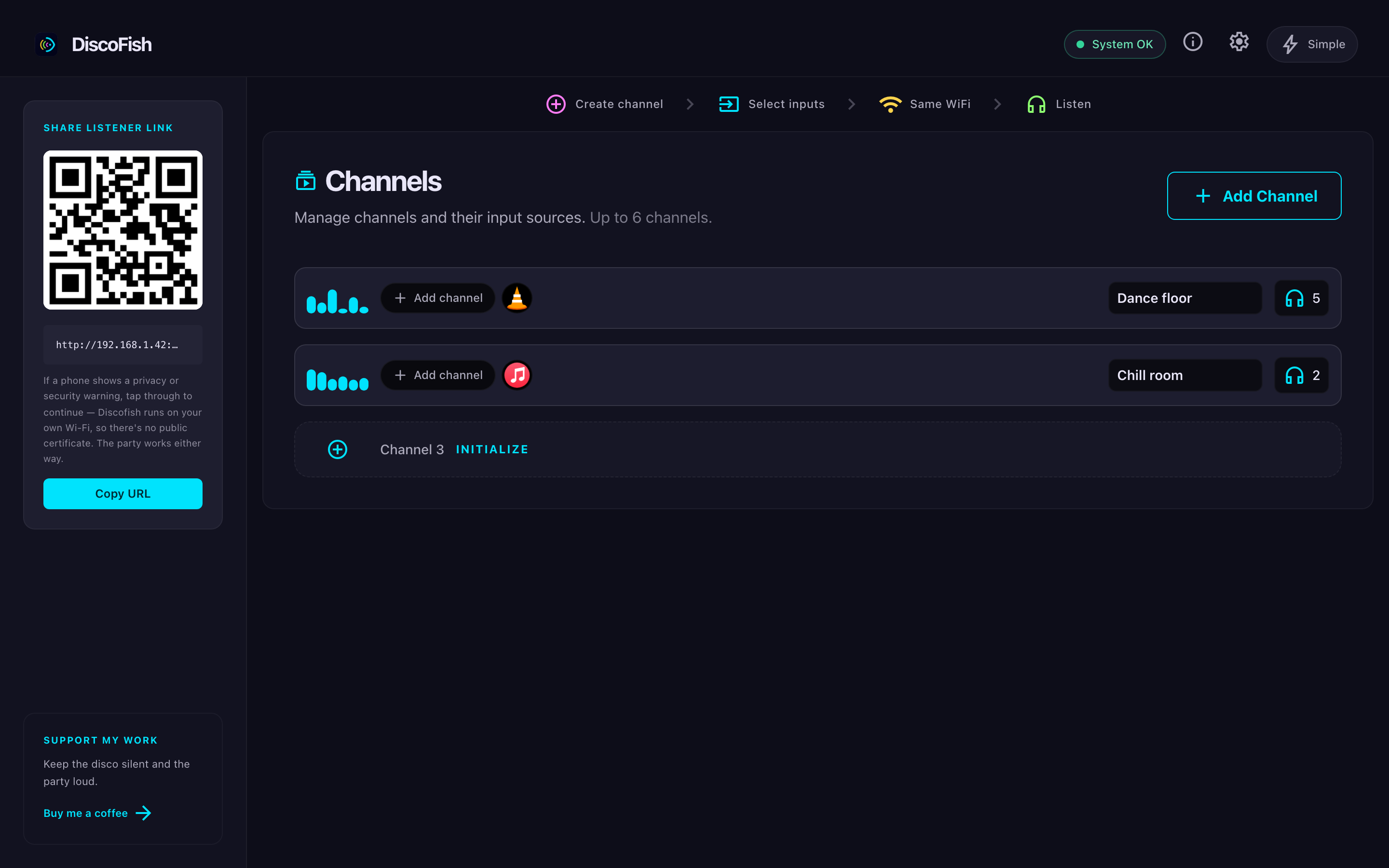
Everything you need to host a silent disco. Nothing you don't.
Browser listeners receive audio over your local network. App listeners connect to your computer over an encrypted peer-to-peer connection. Your music is not uploaded to a cloud audio service.
Discofish adjusts playback to keep listeners in time. Network conditions and headphones can affect latency, especially with Bluetooth.
Guests on your local network scan the Browser QR and listen without installing an app. They choose a channel and use their own headphones.
Run different streams for different vibes in one party. Guests switch channels whenever they like.
The App pairing QR connects phone listeners to your computer over the internet. They can use Wi-Fi or mobile data; your computer stays online and hosts the stream.
No accounts or subscriptions. Guests join for free, and your network and computer determine how many listeners you can support. If Discofish makes your party, you can buy the developer a coffee.
Download Discofish on your computer, choose your music, and invite your guests. They bring the headphones; you bring the party.
Choose your downloadFree · macOS 13+ · Windows 10+ · Linux with PipeWire

